Neuesten Nachrichten
 Samstag, 25. Januar 2025
Revolutionizing MS-Access Migrations with AI
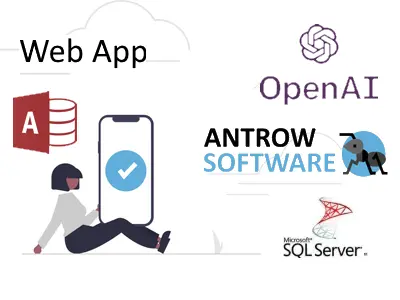
At Antrow Software, we’ve embraced the power of ChatGPT and Microsoft Copilot to bring faster, smarter, and more cost-effective solutions for migrating MS-Access databases to Web Apps and cloud platforms.
Here’s how AI is transforming the migration process:
- Lower Costs: Automation has significantly reduced development time, saving you money.
- Faster Results: Complex migrations are now completed in record time, minimizing delays.
- Improved Quality: AI ensures optimized, error-free solutions tailored to your unique needs.
- Focus on You: With smarter tools handling technical tasks, we can deliver a Web App that fits your business perfectly.
What’s in it for You?
By combining AI with our expertise, we’ve made it easier and more affordable to move your MS-Access databases to the cloud or Web App platforms like AWS or Azure. The result? Seamless access to your data and applications from anywhere, on any device.
In 2025, we look forward to continuing to provide innovative solutions to keep your business ahead.
Contact us today to learn how we can help you modernize your applications.
Visit antrow.com
Tags:
#MSAccess #DatabaseMigration #WebApp #CloudSolutions #ChatGPT #MicrosoftCopilot #AntrowSoftware #Innovatio
Kundengeschichten
 Dienstag, 7. März 2023Autor: Antrow Software
Brian war der Inhaber eines kleinen Unternehmens, das seit mehreren Jahren eine Microsoft Access-Datenbank zur Verwaltung seiner Kundendaten verwendete. Als das Unternehmen jedoch wuchs, wurden die Grenzen der Access-Datenbank immer deutlicher. Es war schwierig, aus der Ferne auf die Datenbank zuzugreifen, und es gab Probleme mit dem gleichzeitigen Benutzerzugriff und der Datensicherheit.
Brian wusste, dass er eine Lösung finden musste, die es seinem Team ermöglichte, von überall auf die Datenbank zuzugreifen, ohne die Datensicherheit oder die Leistung zu beeinträchtigen. Nach einigen Recherchen stieß er auf Antrow Software, ein Unternehmen, das sich auf die Migration von Microsoft Access-Datenbanken in Webanwendungen spezialisiert hat.
Nachdem er seine Anforderungen mit dem Team von Antrow Software besprochen hatte, entschied sich Brian, den Migrationsprozess in Angriff zu nehmen. Das Team von Antrow Software arbeitete eng mit Brian zusammen, um sicherzustellen, dass die neue Webanwendung alle seine Anforderungen erfüllte und auf seine geschäftlichen Bedürfnisse zugeschnitten war.
Der Migrationsprozess verlief nahtlos, wobei Antrow Software alles von der Datenbankstruktur bis zum Design der Benutzeroberfläche übernahm. Sie waren in der Lage, alle Daten aus der Access-Datenbank in die neue Webanwendung zu migrieren, ohne dass es zu einem Verlust von Daten oder Funktionen kam.
Die neue Webanwendung ermöglichte Brians Team den Zugriff auf die Datenbank von jedem Ort aus und mit jedem Gerät, das eine Internetverbindung hat. Außerdem bot sie verbesserte Sicherheitsfunktionen, einschließlich Benutzerauthentifizierung und Datenverschlüsselung.
Brian war von den Ergebnissen der Migration begeistert, und er erkannte schnell die Vorteile einer webbasierten Datenbank. Sein Team war in der Lage, effizienter zu arbeiten, und das neue System war viel einfacher zu bedienen als die alte Access-Datenbank. Darüber hinaus ermöglichte das neue System eine einfachere Zusammenarbeit zwischen den Teammitgliedern, was zu einer Steigerung der Gesamtproduktivität beitrug.
Insgesamt bot die Umstellung auf eine Webanwendung Brian und seinem Team die Flexibilität, Sicherheit und Funktionalität, die sie benötigten, um ihr Unternehmen auf die nächste Stufe zu heben. Dank der Antrow-Software konnten sie den Übergang nahtlos vollziehen und ihr Geschäft mit Zuversicht weiter ausbauen.